
Skyblock vs OneBlock Servers: Which to Play
How Skyblock and OneBlock servers differ, what to check on a listing, and example servers with their editions and versions.
Skyblock and OneBlock are both void-world survival gamemodes, and the difference is the starting point. In Skyblock you begin on a small floating island with a few starter resources, while in OneBlock the whole world starts as a single block that keeps regenerating as you mine it. Browse current listings on the MCVoting Skyblock server list and the OneBlock server list.
This guide compares the two, explains what to check on a listing before you join, and shows example servers. Facts about Skyblock's origin come from the Minecraft Wiki; server facts come from MCVoting listings read on 4 November 2026 and can change.
What Is a Skyblock Server?
The Minecraft Wiki describes Skyblock as a community-created survival mode in which you expand a world from minimal materials. You start on a small island floating in the void with a few items and a single tree, and it credits the player Noobcrew with creating it in 2011. On a server, plugins usually add challenges, shared islands and an economy on top.
Our Skyblock hub describes the same idea: a small floating island, limited resources, and resources that come from generators, farming, mob spawners and trading with other players. Most Skyblock servers let you invite friends to your island as co-op members.
What Is a OneBlock Server?
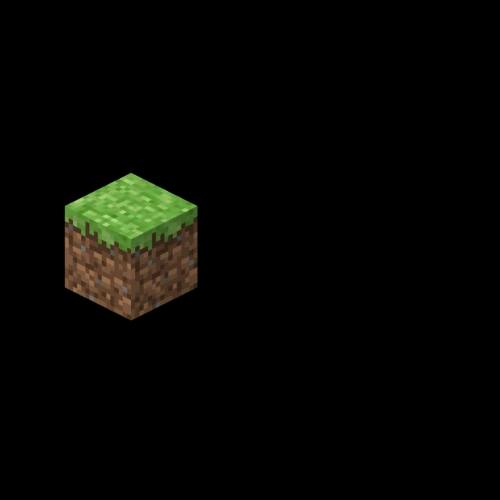
OneBlock is a survival gamemode where the world begins as one block floating in the sky. Our OneBlock hub describes it as a single regenerating block. Each time you break the block it is replaced, and Oneblocky, for instance, describes its progression as many phases.
The result plays like Skyblock with the starting island removed: there is no terrain to expand, so everything flows from that one block.
Skyblock vs OneBlock: What Is the Difference?
| Question | Skyblock | OneBlock |
|---|---|---|
| Starting point | A small floating island with a few starter items | A single block floating in the sky |
| Where resources come from | Generators, farming, mob spawners and trading | Breaking the one block as it regenerates |
| MCVoting hub | Skyblock servers | OneBlock servers |
Our broader guide to server gamemodes compares Skyblock with Factions if you are still deciding between genres.
Example Servers on MCVoting
| Server | Edition | Version | What the listing says | Listing |
|---|---|---|---|---|
| Gacha Skies | Java and Bedrock | 1.21.11 to 26.2 | A Skyblock server with gacha features | Gacha Skies on MCVoting |
| AkumaMC | Java and Bedrock | 1.8 to 1.21 | Two worlds only, one island survival and one prison-themed | AkumaMC on MCVoting |
| Oneblocky | Java and Bedrock | 1.21 | Built on the OneBlock format, where the world starts as a single block | Oneblocky on MCVoting |
| Waves Gamer | Java, with Bedrock crossplay | 1.7 to 1.21.11 | UK-hosted network; lists Survival, SMP, Economy, OneBlock and Lifesteal | Waves Gamer on MCVoting |
| CosmosMC | Java and Bedrock | 1.21 | Four worlds: an Earth map, open survival, a single-block world and factions | CosmosMC on MCVoting |
These are examples, not a ranking. The hubs currently list 29 Skyblock and 9 OneBlock servers. Voting is not open on every listing, so check each page for whether you can vote.
How to Choose Between Them
Pick the Start You Enjoy
If you like building out from an island and planning generators, Skyblock fits. If you prefer a tighter loop where one block drives everything, try OneBlock.
Check Whether It Is the Whole Server or One Mode
Some listings, like Gacha Skies, are built around one mode. Networks such as CosmosMC and Waves Gamer offer a single-block world next to other modes, so read the description to see what you are joining.
Match Version and Edition First
Confirm that the listed version range and edition match your client before you connect. Our guide to joining a Minecraft server covers the steps.
