

How to Install Votifier (NuVotifier) on Your Minecraft Server (Step-by-Step)
Learn how to install Votifier (NuVotifier) on Paper/Spigot servers and proxies, configure the voting port, and connect your server to voting sites like MCVoting. Includes troubleshooting tips, test commands, and best practices.
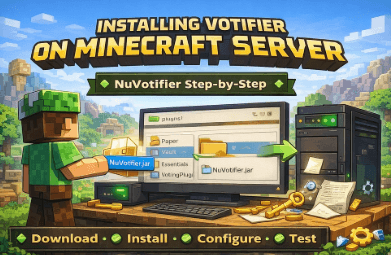
How to Install Votifier (NuVotifier) on Your Minecraft Server
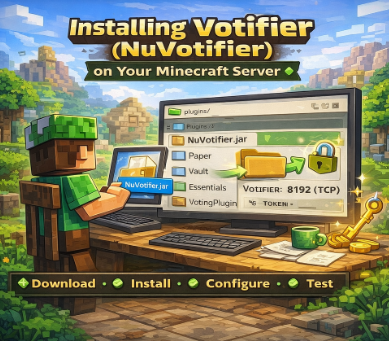
Votifier is the system that lets voting websites notify your server when a player votes. The most common modern implementation is NuVotifier, which works on Paper/Spigot servers and also supports proxies for networks.
This guide covers:
Installing NuVotifier on a single server (Paper/Spigot)
Setting the correct port and config
Connecting your server to a voting website (like MCVoting)
Testing votes
Common fixes if it doesn’t work
What You Need Before You Start
Requirements
A plugin-capable server (not vanilla): Paper/Spigot/Purpur
File access (FTP/SFTP or server panel file manager)
Ability to open a port on your host (or proxy)
Download NuVotifier
Download the latest NuVotifier jar from:
GitHub Releases (recommended), or
Step 1: Install NuVotifier on Paper/Spigot
Stop your server
Upload the NuVotifier
.jarinto your server’splugins/folderStart the server once to generate files
Stop the server again (so you can safely edit config)
If you’re on Paper, plugin installation basics are here:
Paper “Adding plugins” documentation
Step 2: Configure NuVotifier (Port + Host)
After first boot, NuVotifier creates a folder like:
plugins/Votifier/
Inside, you’ll usually find a config file (often config.yml) and an RSA key folder.
Key settings to check
Host: typically should be
0.0.0.0(listen on all interfaces)Port: choose a port you will open (common:
8192, but any open port works)Version: some sites use “v2” style tokens; your vote site will tell you what it supports
Important: Your server host must allow inbound traffic on the chosen port.
Step 3: Open the Votifier Port (Firewall / Hosting Panel)
This is the part that causes most “it doesn’t work” issues.
You need to allow inbound TCP access to your Votifier port:
On your host panel (game server firewall), OR
On your VPS firewall (UFW/iptables), OR
Through your router (home hosting / port forwarding)
Quick checklist
The port is open externally
The port is forwarded to the correct machine (if needed)
The port matches your NuVotifier config exactly
You’re using the correct public IP / hostname
Step 4: Add Your Server to the Voting Website
On a voting website (like MCVoting), you’ll typically enter:
Your server’s public address (IP/domain)
The Votifier port
A token or public key, depending on the vote protocol used
NuVotifier generates the keys/tokens needed. The voting website will tell you which value it expects.
How to set up voting on MCVoting
Then head over to dashboard and click "add new server"
Then follow the server registering setup - if you have any queries about how to set up a server head to this blog
Then in the "Votifier Section" add in your V1 or V2 keys where prompted
Remember you can change your votifier keys any time in your votifier edit section for your server
Tip: Use the “test vote” tool to check you have entered the right keys
If a "test vote" successfuly comes through you should see a confirmation and in your servers console a vote should have came through from MCVotingTest
Step 5: Test That Votes Are Arriving
Most NuVotifier setups support a test command to simulate or validate vote reception.
What success looks like
Console shows a vote received event
Your reward system triggers (if installed)
Player gets reward instantly or on next join (depends on reward plugin)
If your votes are being received but players aren’t getting rewards, you likely need a vote listener / rewards plugin configured to run commands on vote.
Single Server vs Network Setup (Proxy)
If you run a network (proxy + multiple backend servers):
Install NuVotifier on the proxy and set it to forward votes to backend servers, OR
Install on one backend server that handles rewards centrally
Popular proxy options include Velocity and BungeeCord/Waterfall — forwarding is the part you’ll configure so votes reach the right backend.
Common Problems (And Fixes)
“Voting site says it can’t connect”
Your port isn’t open publicly
Wrong IP/hostname
Wrong port
Host firewall blocks it
“No vote shows in console”
NuVotifier not installed in the right folder
Config didn’t generate (server never restarted after upload)
Another service already uses that port
“Votes arrive but no rewards”
NuVotifier receives votes, but you don’t have a reward listener configured
Reward commands are misconfigured
Offline rewards aren’t enabled (depends on your reward plugin)
Best Practices (So It Works Every Time)
Use a dedicated Votifier port and document it
Keep NuVotifier updated
Use a domain name if your IP changes often
Avoid exposing unnecessary ports (only open what you need)
Log vote events (helps debug reward issues)
Need Help?
If you still have question or problems about setting up votifier on your server, here are some quick links to find help
MCVoting Discord, where you can open a ticket or ask in help chat!
NuVotifier main GitHub repo, with support and setup notes